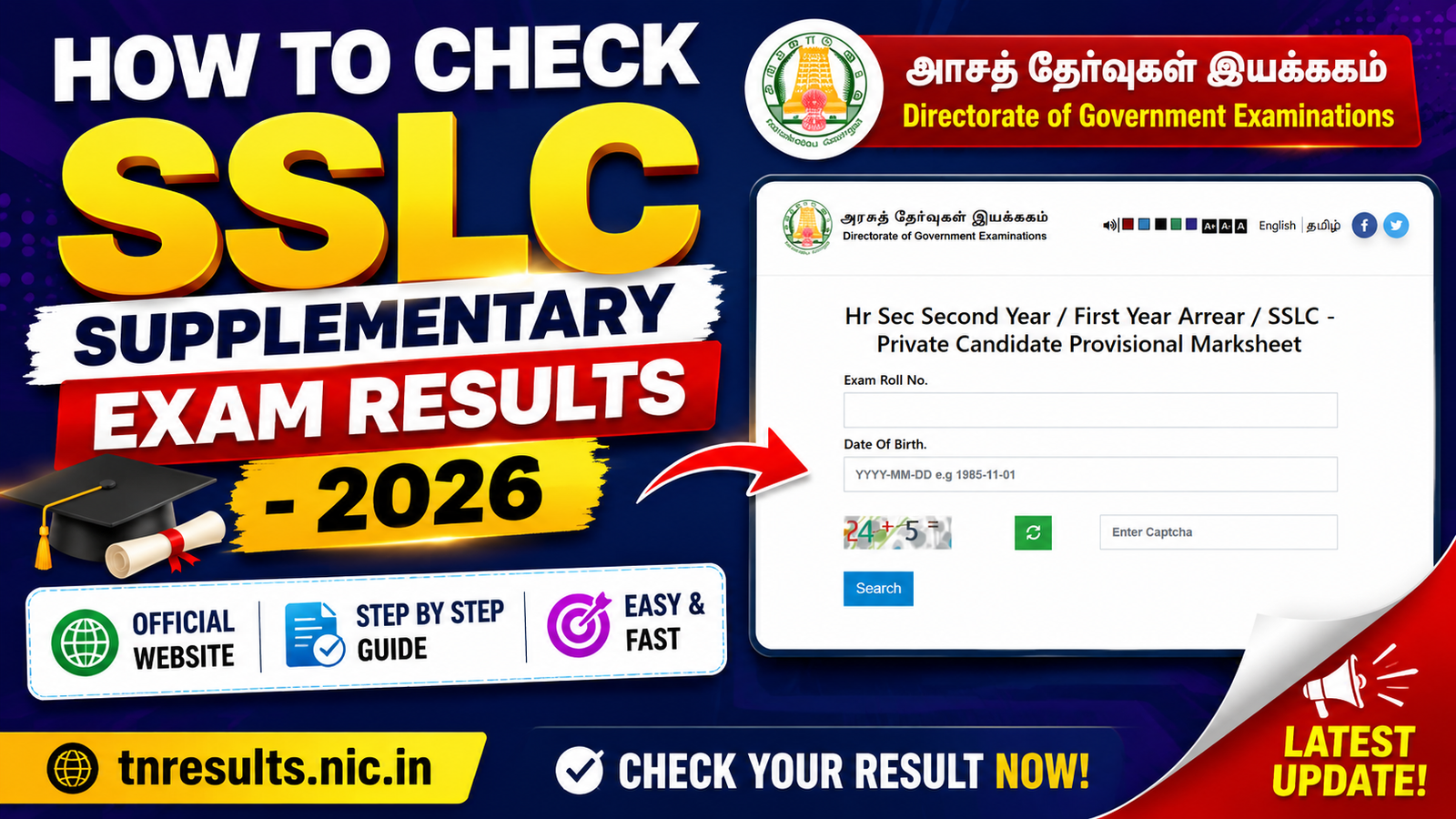
The Directorate of Government Examinations (DGE), Tamil Nadu has released the SSLC Supplementary Examination Results 2026. Students who appeared for the SSLC Supplementary (Arrear) Examination can now download their Provisional Marksheet online by entering their Exam Roll Number, Date of Birth, and Captcha.
If you are unsure how to check your result, follow the simple steps below.
| Particular | Details |
|---|---|
| Exam | SSLC Supplementary Examination 2026 |
| Conducting Authority | Directorate of Government Examinations (DGE), Tamil Nadu |
| Result Status | Released |
| Mode | Online |
| Marksheet | Provisional Marksheet |
| Official Website | https://www.dge.tn.gov.in |
How to Check SSLC Supplementary Exam Results 2026
Step 1
Visit the official DGE Tamil Nadu website.
Official Website:
https://www.dge.tn.gov.in
Step 2
Click on
“SSLC – Private Candidate Provisional Marksheet”
or
“SSLC Supplementary Examination Result 2026”
Step 3
Enter your
- Exam Roll Number
- Date of Birth (YYYY-MM-DD format)
- Captcha Code
Step 4
Click on the Search button.
Step 5
Your SSLC Supplementary Result 2026 will appear on the screen.