The National Testing Agency (NTA) has officially released the admit cards for the University Grants Commission National Eligibility Test (UGC NET). If you are preparing to sit for this national-level eligibility exam, downloading your hall ticket is the most crucial step before heading to the test center.
To help you navigate the official portal without getting lost, we have put together an easy, step-by-step guide to downloading your UGC NET admit card online.
Key Highlights of the UGC NET Exam
Before jumping into the downloading process, here is a quick overview of what you need to keep in mind regarding the examination schedule:
| Particulars | Details |
| Conducting Body | National Testing Agency (NTA) |
| Exam Mode | Computer-Based Test (CBT) |
| Total Marks | 300 marks (Paper I: 100, Paper II: 200) |
| Number of Questions | 150 Multiple-Choice Questions (MCQs) |
| Negative Marking | None |
| Shift Timings | Shift 1: 9:00 AM – 12:00 PM | Shift 2: 3:00 PM – 6:00 PM |
How to Download UGC NET Admit Card Online
Follow these exact, procedural steps to successfully save your admit card to your mobile phone or computer.
1.Visit the Official NTA Website:Step 1.
Open your web browser and navigate directly to the official UGC NET portal at ugcnet.nta.nic.in. Avoid clicking on third-party links to prevent phishing risks.
2.Locate the Admit Card Link:Step 2.
On the homepage, scroll down to the “Candidate Activity” section or check the top of the “Public Notices” panel. Click on the link that reads “Download Admit Card for UGC NET”.
3.Enter Your Login Credentials:Step 3.
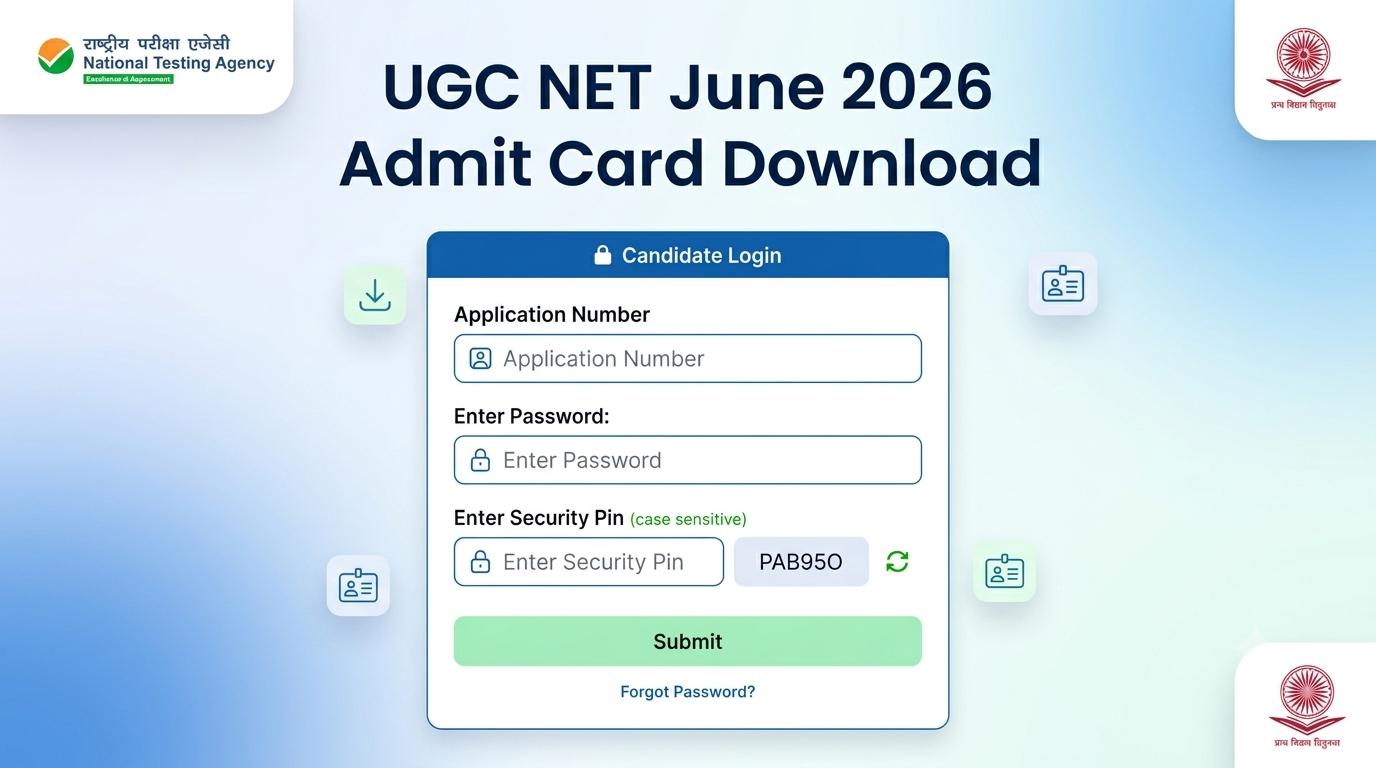
You will be redirected to a secure login page. Enter your Application Number (received during registration) and your Password or Date of Birth (DOB).
4.Solve the Security Pin:Step 4.
Carefully type the alphanumeric Security Pin (Captcha) displayed on the screen into the designated text box. Note that letters are case-sensitive. Click the “Submit” or “Sign In” button.
5.Verify and Save the PDF:Step 5.
Your digital admit card will appear on the screen. Cross-check your name and photograph, then click the “Download” button to save it as a high-quality PDF document.
Pro Tip: Make sure to take at least two or three clear printouts of the downloaded PDF on clean A4 sheets. A digital copy on your phone will not be accepted at the examination gate.
Details to Verify on Your Hall Ticket
Once you open the PDF, verify that the following details are 100% correct. If there is a discrepancy, contact the NTA Helpdesk immediately.
- Personal Details: Your full name, application number, category, gender, and signature.
- Photograph: Your uploaded picture must be clearly visible and unblurred.
- Exam Logistics: The exact date of your exam, designated shift, reporting time, and the complete physical address of your allocated exam center.